 Dellie
The Lab
Dellie
The Lab
Episode 10 of 10 · 28 Sep 2026 · 6 min read
Six legs on screen first
The animation showed the feet skidding, before a single part was printed.
DesignA body for six legs, designed and walked in Blender. Nothing printed yet.
Straight on one axis
Twelve hours earlier, the fly had moved one real leg (Episode 9). Now I wanted the simplest body that could carry six of them: flat, rectangular, “straight on one axis”, no fly-shaped shell yet.
The team didn’t design a new part for it. The body is the hip block from Episode 8, six times over, on one flat plate. That box already holds the servo and takes the hinge, so every pocket on the body was proven before the body existed.
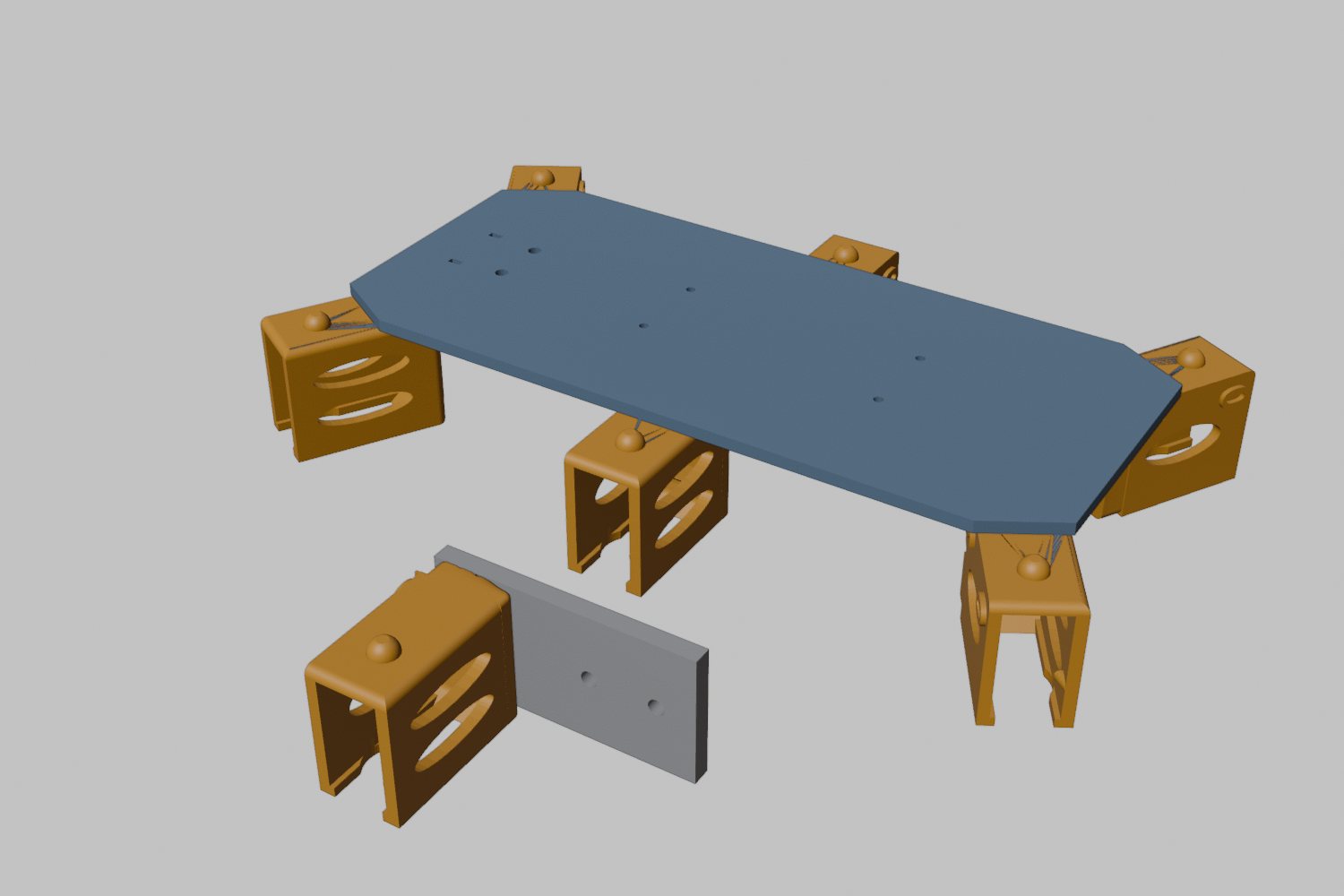
Then the checks, all in code, against the real leg files. Legs 60 mm apart hit each other at full swing; 80 mm apart made the body too long. At 70 mm, with the front and hind pockets turned out 30 degrees, nothing touches in a normal step. The body is 192 by 113 mm, so it fits my printer.
The knee on the wrong side
The first render put each knee servo on the inside of its knee. My real leg has it on the outside. For a moment I wondered whether the inside looked more like a fly. The two differ by about 8 mm and work the same, so the model was flipped to match the leg on my desk. Same lesson as Episode 8: the real object first.
Boards on the belly
No breadboard on the robot. Pushed-in pins had already cost me three evenings. The little computer gets soldered pins and four wires straight to the servo board.
Both boards go underneath. The body prints upside down, plate on the bed, so the posts and holders on its belly simply grow upward in the printer: one print, no extra parts, and the weight sits low.
It walks, and it skids
At 14:34 the whole robot walked on screen, three legs at a time, the way insects walk: while three push, the other three lift and swing forward. Two seconds a cycle, 34 mm a step. There’s no brain in it; it’s a made-up walk, only to test the machine.
It showed something no part had yet: the front and hind feet skid sideways while they should be standing still.
How far each foot slides sideways while it’s on the ground
The reason is the joints. Each leg has two: the hip swings it forward and back around an upright axis, and the knee lifts it. With the knee down, the foot can only move along a circle around the hip. The body goes straight, so a foot that should stay put gets dragged sideways.
a planted foot’s paththe foot’s real path
Two-joint legs do this, and it has a cost: grippy rubber feet would fight it. A third joint could stretch the leg and keep the foot planted. Whether two are enough is what the slow-motion test on the real leg is for (Episode 9), and that hasn’t been run. I had already ordered twelve more servos at lunchtime, ten for the other five legs and two spares, against the team’s advice to wait for that test.
Three things only I could see
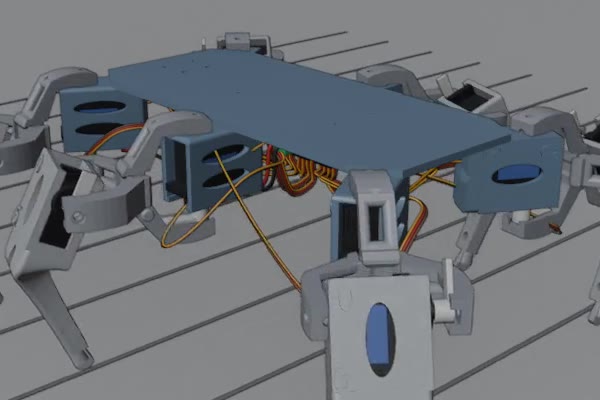
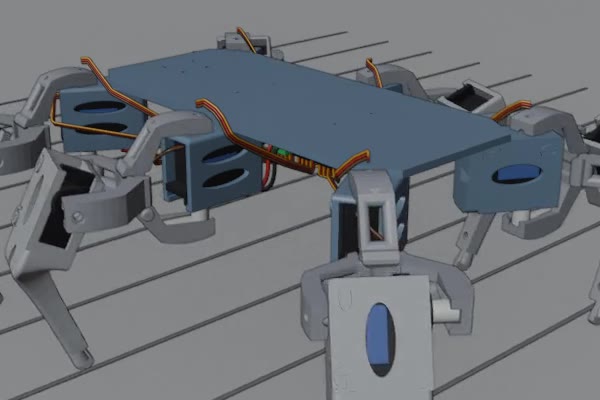
At 16:47 I looked at the model in Blender and sent back three fixes. The servo propellers were drawn at the wrong angle, the cables came out of the wrong end of each servo, and some cables ran straight through plastic.
The team re-planned every cable in code, around every part. No collisions, at rest or in twelve poses of the walk; the tightest gap is a third of a millimetre.
Two corrections before printing
At 17:09 the AI corrected itself. It had said the body prints without supports; an overhang check found the outer halves of six pocket tops floating 2.8 mm above the bed. It needs supports after all.
Then I doubted the holder the little computer snaps into. The recheck agreed: its three small bumps sat on walls held on three sides, too stiff to bend. The board wouldn’t have gone in, or the wall would have cracked. The new holder grips with four thin ribs instead, and a 5-gram test piece gets printed first.
By 17:48 the body was on its fifth version, with slots for zip ties to hold the cables, and nothing collided anywhere in the walk. Five versions in under four and a half hours, all on screen. The body isn’t printed yet.
Walls before tricks
That evening the fly lab built one more link: tap the robot, and the fly on screen cleans his antennae. On a pretend board, 27 taps out of 28 set him grooming within a third of a second. It hasn’t met the real robot yet.
The next morning the lab found that teaching him to back away from walls almost stops his grooming there. I didn’t mind:
“For the real robot, handling obstacles is much more important than watching it groom. But as a fun part later, why not.”
Walk it on screen first. The animation found the skid before any plastic did.